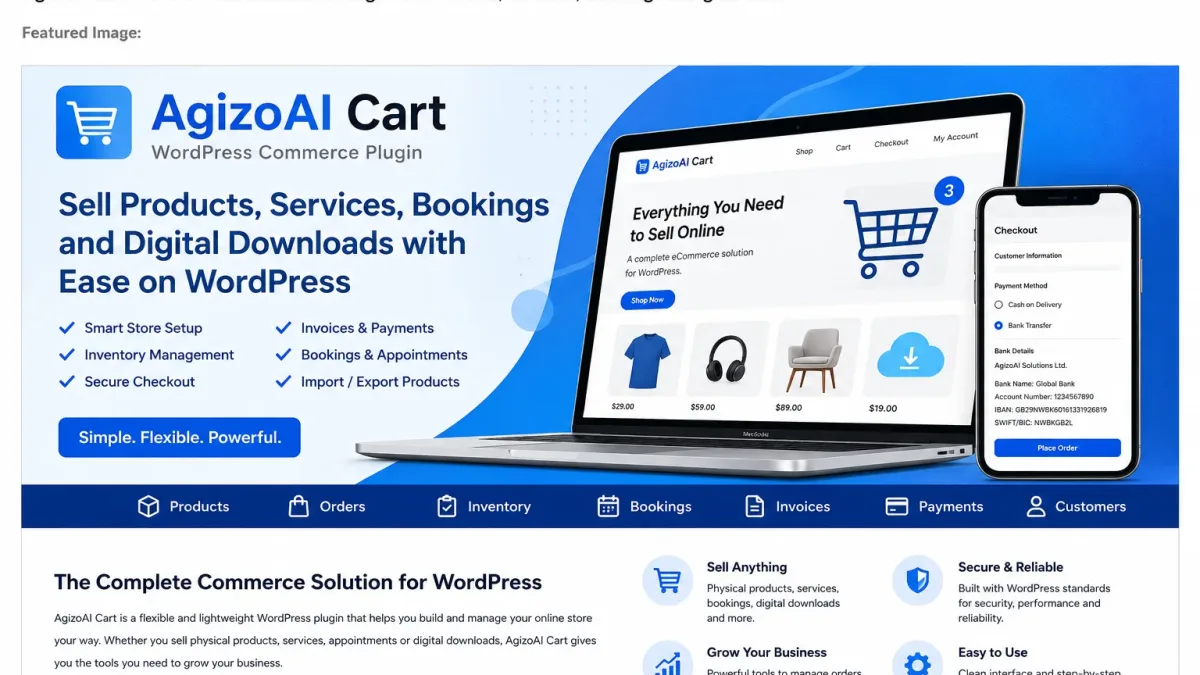
AgizoAI Cart – WordPress Commerce Plugin for Products, Bookings, Inventory and Invoices
AgizoAI Cart is a flexible WordPress commerce plugin built for businesses that want to sell physical products, digital downloads, services, bookings and simple subscriptions from one clean WordPress dashboard.
The plugin helps store owners manage products, cart checkout, customer orders, inventory, bank transfer payments, cash on delivery, printable invoices, booking calendars and product import/export workflows without loading unnecessary tools by default.
Download AgizoAI Cart from WordPress.org:
Download AgizoAI Cart on WordPress.org
What Is AgizoAI Cart?
AgizoAI Cart is a modular WordPress cart plugin and commerce system for store owners who need practical selling tools without unnecessary complexity.
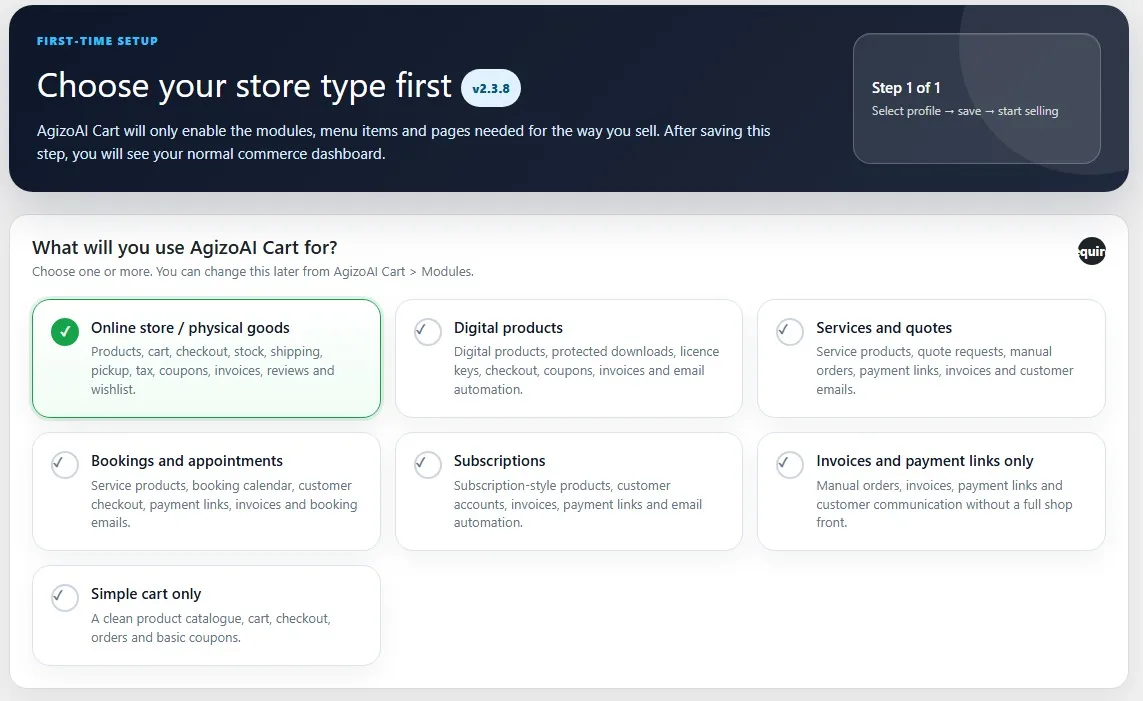
Instead of enabling every feature for every website, AgizoAI Cart starts with a setup wizard. Administrators choose their store type first, and the plugin enables the right modules, pages and menu items for that business model.
You can use AgizoAI Cart to create products, accept orders, manage stock, display company bank account details, send order emails, provide invoice links, manage bookings and organise customer activity from WordPress.
Download AgizoAI Cart WordPress Plugin
AgizoAI Cart is available as a WordPress plugin download. You can install it directly from the WordPress.org plugin directory or download the ZIP file from the AgizoAI website.
- Official WordPress.org plugin page:AgizoAI Cart on WordPress.org
- AgizoAI download page:AgizoAI Cart plugin page
- Direct ZIP download:Download AgizoAI Cart v2.3.8
- Version: 2.3.8
- Requires PHP: 8.1 or higher
- Requires WordPress: 6.0 or higher
- Licence: GPLv2 or later
Plugin Screenshots
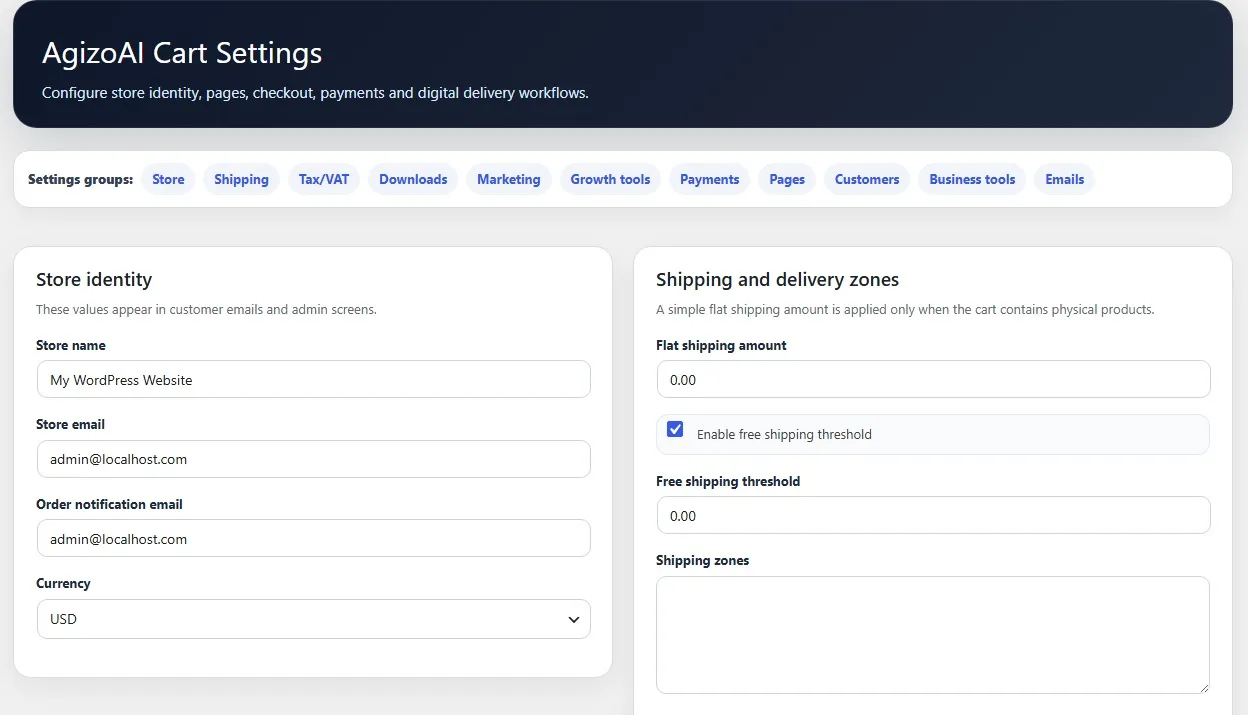
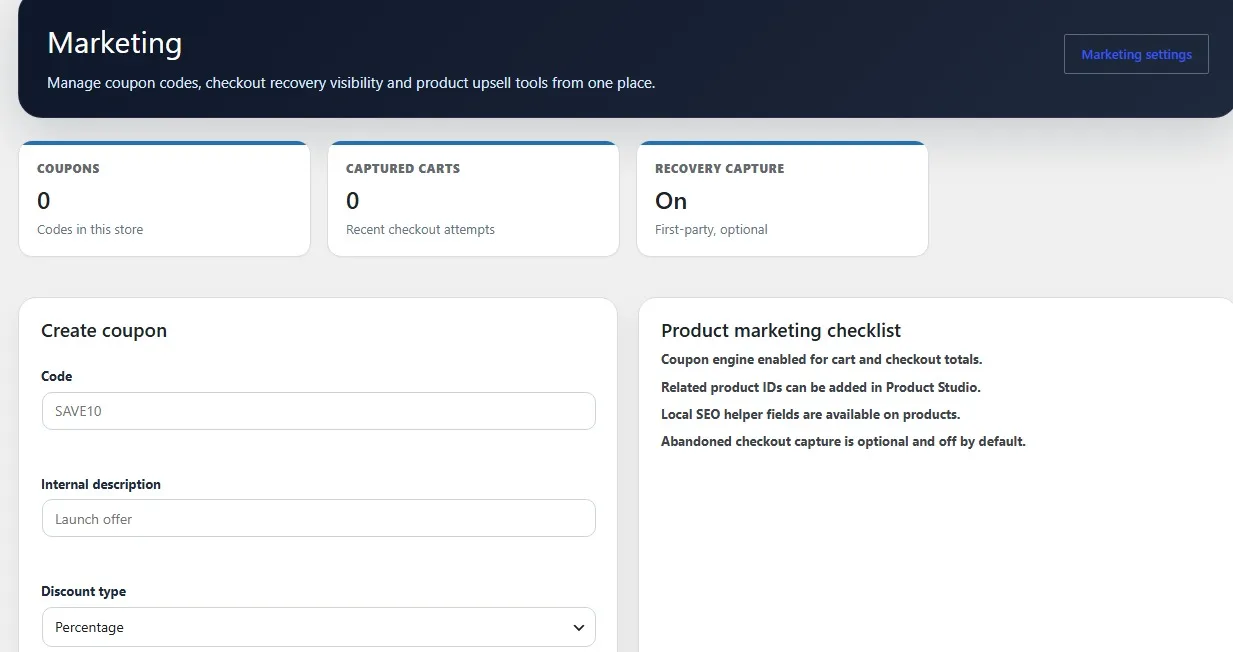
These screenshots show the AgizoAI Cart setup wizard and settings area inside WordPress.
Why Choose AgizoAI Cart for WordPress Commerce?
Many WordPress store owners do not need a heavy eCommerce setup from day one. AgizoAI Cart focuses on a clean, modular approach. You can start with the tools you need now and enable more features as your business grows.
- Flexible setup: choose the type of store you want to run.
- Physical product support: manage stock, SKUs, categories and product availability.
- Booking calendar: accept appointments and service bookings.
- Digital sales: sell downloads and licence-based products when enabled.
- Invoice tools: send customers printable invoice links.
- Bank transfer support: show company bank account details during checkout.
- Cash on delivery: support offline payment workflows and manual paid status updates.
- Product import/export: import products from CSV, TSV, XML, JSON and Excel-compatible files.
Main Features of AgizoAI Cart
Smart Store Setup Wizard
The setup wizard helps you choose your business type before the plugin loads your tools. You can select a physical goods store, digital product store, service business, booking business, subscription workflow, invoice-only setup or simple cart.
This keeps the WordPress admin cleaner because irrelevant tools are hidden unless they are needed.
Product Management
AgizoAI Cart allows store owners to create and manage products with titles, descriptions, prices, SKUs, images, stock status and categories.
Products can be organised for different selling models, including physical products, services, digital downloads, bookable products and simple subscriptions.
Cart and Checkout
Customers can add items to the cart and complete checkout directly on your WordPress website. The checkout flow supports customer details, payment method selection, order confirmation and customer order emails.
Out-of-stock products are blocked from being added to the cart, helping reduce overselling and customer confusion.
Inventory Management
The built-in inventory page gives administrators a clear overview of product stock, low-stock products and availability.
Store owners can update stock levels from the admin area and keep better control over physical product sales.
Bank Transfer and Cash on Delivery
AgizoAI Cart supports offline payment workflows such as bank transfer and cash on delivery.
Admins can add company bank account details in the plugin settings. When a customer chooses bank transfer at checkout, the bank account information is displayed clearly so the customer knows how to pay.
Invoices and Order Emails
AgizoAI Cart can include a printable invoice link in customer order emails. Customers can open the invoice page, print it or save it as a PDF from their browser.
Store owners can also choose whether invoice links should appear only when the payment status is marked as paid.
Booking Calendar and Appointment Management
The booking calendar module turns AgizoAI Cart into a useful WordPress booking plugin for service-based businesses.
Store owners can configure booking duration, available weekdays, working hours, capacity, buffer time, minimum notice, blocked dates and booking status updates.
Product Import and Export
AgizoAI Cart includes product import and export tools to help admins move product data more easily.
Supported import formats include CSV, TSV, XML, JSON and Excel-compatible files. The importer can match external fields and terms to AgizoAI Cart product fields and product categories.
Customer Account Area
Customers can access their account area to view orders, invoice links, downloads and booking details depending on the modules enabled by the store owner.
Who Is AgizoAI Cart For?
AgizoAI Cart is suitable for many types of WordPress websites and small businesses.
- Online shops selling physical products.
- Local stores using cash on delivery or bank transfer.
- Service providers selling services or accepting quote requests.
- Booking businesses such as salons, tutors, consultants, repair services and trainers.
- Digital sellers offering downloads or licence-based products.
- Invoice-based businesses that need orders, payment links and printable invoices.
AgizoAI Cart for Physical Product Stores
Physical goods stores can use AgizoAI Cart to manage products, stock, categories, checkout, customer orders, payment status, invoices and bank payment details.
The inventory tools help admins track stock levels and prevent customers from buying unavailable products.
AgizoAI Cart for Services and Bookings
Service providers can create bookable products and allow customers to choose appointment dates and times.
Booking details are saved with the order, and admins can manage booking statuses such as pending, confirmed, completed, cancelled, rescheduled or no-show.
AgizoAI Cart for Digital Products
Digital sellers can enable downloads and licence-key tools when needed.
These features are modular, so a physical store does not need to show digital licence-key tools unless the licence module is enabled.
AgizoAI Cart Modules
- Product catalogue
- Cart and checkout
- Orders and payment activity
- Inventory management
- Bank transfer payment details
- Cash on delivery workflow
- Printable invoice links
- Digital downloads
- Licence keys for digital sellers
- Booking calendar and appointment management
- Product import and export
- Customer account area
- Email automation and abandoned cart tools
How to Install AgizoAI Cart
- Go to AgizoAI Cart on WordPress.org.
- Download the plugin ZIP file or install it from your WordPress dashboard.
- Log in to your WordPress dashboard.
- Go to Plugins > Add New Plugin.
- Search for AgizoAI Cart or click Upload Plugin.
- Install and activate the plugin.
- Follow the setup wizard to choose your store type.
Frequently Asked Questions
Is AgizoAI Cart a WordPress commerce plugin?
Yes. AgizoAI Cart is a WordPress commerce plugin that helps website owners sell products, services, bookings and digital downloads.
Where can I download AgizoAI Cart?
You can download AgizoAI Cart from the official WordPress.org plugin directory at https://wordpress.org/plugins/agizoai-cart/.
Can AgizoAI Cart sell physical products?
Yes. AgizoAI Cart supports physical products, stock control, inventory management, order emails, payment status updates and printable invoices.
Can customers pay by bank transfer?
Yes. Store owners can add company bank account details in the admin settings, and those details can be shown to customers when they choose bank transfer during checkout.
Does AgizoAI Cart support cash on delivery?
Yes. AgizoAI Cart supports cash on delivery and manual payment status updates. Offline payments can also appear in payment activity when marked as paid by the admin.
Does AgizoAI Cart include inventory management?
Yes. AgizoAI Cart includes an inventory page where admins can view stock levels, update stock quantities and monitor low-stock products.
Does AgizoAI Cart support bookings?
Yes. The booking calendar module supports appointment-based products with date and time selection, capacity rules, working hours and booking status management.
Can I import products into AgizoAI Cart?
Yes. AgizoAI Cart includes product import and export tools with support for CSV, TSV, XML, JSON and Excel-compatible formats. Admins can also match external terms and categories to AgizoAI Cart product categories.
Does AgizoAI Cart send invoices?
AgizoAI Cart can include a printable invoice link in customer order emails. Customers can open the invoice page and save or print it as a PDF from their browser.
Start Selling with AgizoAI Cart
AgizoAI Cart is designed for WordPress users who want a practical commerce plugin that can grow with their business.
Start with the setup wizard, choose your store type, add your products or services, configure your payment options and begin accepting orders from your WordPress website.