
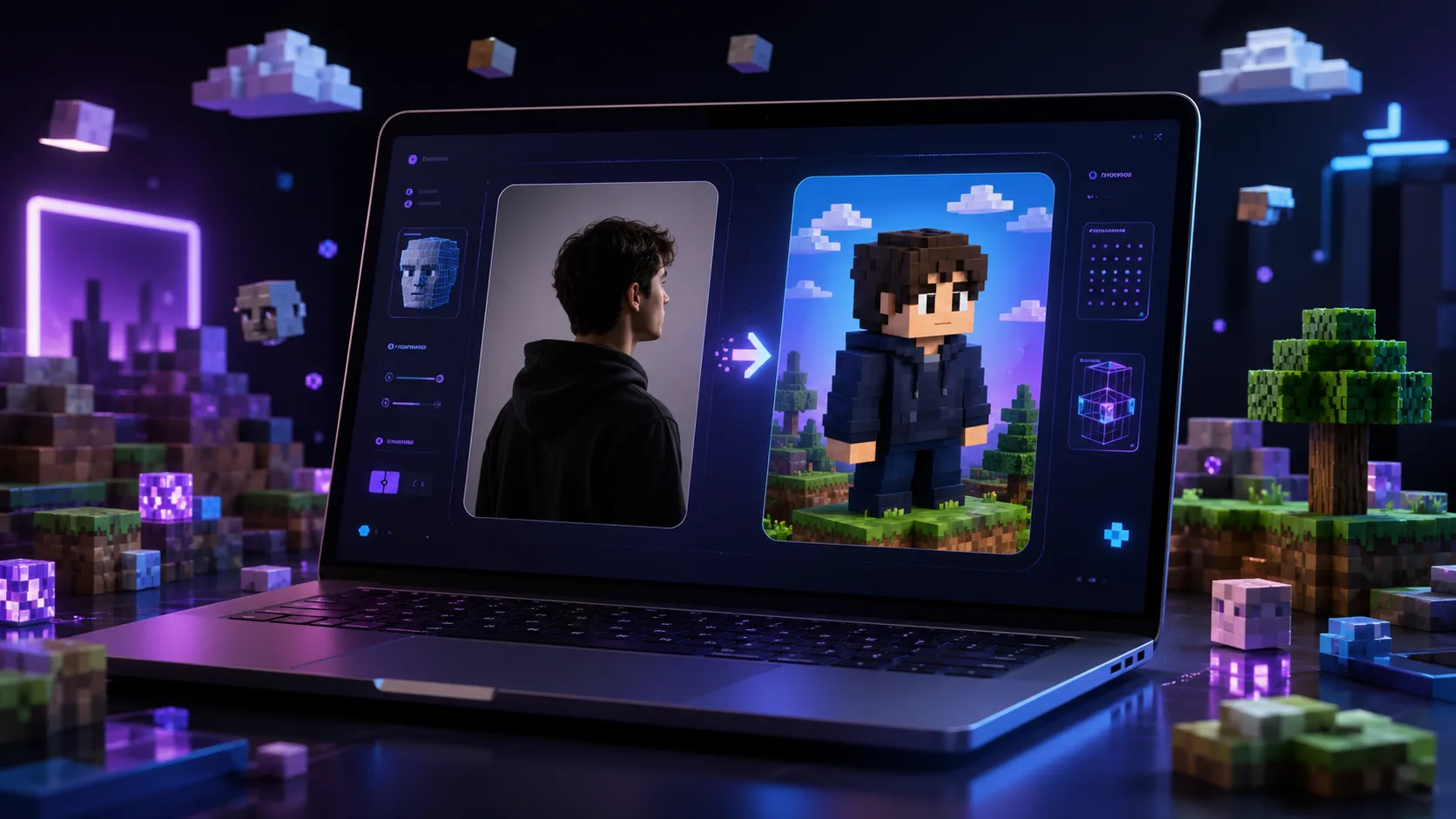
Minecraft-style voxel art is one of the most fun ways to turn a real photo into a playful blocky 3D character. Instead of creating a normal cartoon, this style rebuilds the person using square shapes, pixel textures, cuboid arms and legs, and a colourful game-inspired world.
The result is perfect for gaming avatars, YouTube thumbnails, TikTok edits, Facebook profile pictures, WhatsApp stickers, family portraits, children’s posters, and creative AI image experiments.
What Is a Minecraft-Style Voxel Transformation?
A Minecraft-style voxel transformation converts a real photo into a block-based 3D illustration. The person is redesigned with a square head, blocky body, cuboid arms and legs, simple pixel-style facial features, and clothing made from small textured blocks.
The goal is not to completely change the person. The best result should still preserve the person’s recognisable likeness, face shape, hairstyle, skin tone, clothing colour, pose, and expression while changing the overall art style into a clean voxel look.
Best AI Prompt for Minecraft-Style Voxel Photo Transformation
Upload your photo first, then copy and paste this prompt into your AI image generator.
AI Prompt:
Create a high-quality Minecraft-style voxel transformation of the uploaded person. Preserve the person’s recognisable likeness, face shape, hairstyle, skin tone, clothing colour, body pose, and expression, but rebuild everything in a blocky Minecraft-inspired 3D pixel-art style.
The character should have a square head, cuboid body, block arms and legs, pixelated clothing textures, and simple block-style facial features that still resemble the original person. Keep the original outfit colours and key visual details so the character remains recognisable.
Place the character inside a bright Minecraft-like world with grass blocks, trees, hills, clouds, wooden structures, flowers, water, and warm sunlight. Make it look like an official game-style cinematic render: clean, colourful, sharp, detailed, playful, and highly polished.
No text, no logos, no watermark, no distortion, no extra fingers, no extra limbs, no scary style, no dark horror mood.
Prompt Version for a Single Person
Transform the uploaded portrait into a Minecraft-inspired voxel character. Preserve the person’s facial likeness, hairstyle, skin tone, clothing colour, pose, and expression. Rebuild the person with a square head, cuboid body, blocky arms and legs, pixelated textures, and clean 3D voxel lighting. Place the character in a colourful block-world environment with grass, trees, clouds, flowers, and warm sunlight. Make the result playful, polished, sharp, and cinematic. No text, no logo, no watermark, no extra limbs.
Prompt Version for a Couple or Family Photo
Transform all people in the uploaded photo into Minecraft-style voxel characters. Preserve each person’s recognisable likeness, face shape, hairstyle, skin tone, clothing colour, pose, height difference, and expression. Rebuild them as blocky 3D characters with square heads, cuboid bodies, pixelated outfits, and simple but recognisable voxel facial features.
Keep the group composition similar to the original photo. Place them inside a bright Minecraft-inspired world with grass blocks, trees, hills, water, clouds, wooden houses, flowers, and warm cinematic sunlight. Make the image clean, colourful, fun, high-quality, and family-friendly. No text, no logos, no watermark, no extra people, no distorted faces, no extra limbs.
Negative Prompt
Use this negative prompt to reduce errors:
blurry, low quality, distorted face, changed identity, wrong skin tone, extra fingers, extra arms, extra legs, missing hands, scary, horror, dark mood, text, logo, watermark, bad anatomy, melted face, realistic photo style, over-smoothed, duplicate person, ugly background, messy pixels
Tips for Better Results
Use a clear photo where the person’s face is visible. Good lighting helps the AI understand the face shape, hairstyle, outfit, skin tone, and body pose more accurately.
For better likeness, add strong identity instructions such as: “preserve the same face shape, hairstyle, skin tone, eyes, expression, and clothing colours.”
For a more cinematic result, ask for warm sunlight, clean voxel lighting, sharp pixel textures, and a colourful Minecraft-like environment.
Best Uses for This Prompt
This Minecraft-style voxel prompt is ideal for:
Gaming avatars
YouTube thumbnails
TikTok and Instagram edits
Facebook profile pictures
WhatsApp stickers
Birthday posters
Family cartoon art
Children’s wall posters
Creative AI photo transformations
Featured Image Prompt
Create a generic dark-mode featured image for an AI blog article about transforming photos into Minecraft-style voxel characters. Show a futuristic laptop on a dark desk with a glowing AI image editor interface. On the screen, display a split before-and-after concept: a normal portrait silhouette on one side and a colourful blocky voxel character on the other side. Surround the laptop with floating 3D cubes, pixel blocks, purple and blue neon lighting, grass blocks, small trees, clouds, and AI interface icons. Clean modern dark UI, high-end tech aesthetic, playful gaming feel, cinematic lighting, 16:9 composition, no text, no logos, no watermark.


Published by
AgizoAI Editorial Team
AI news, prompt engineering, tool reviews and practical technology coverage from the AgizoAI editorial desk.
Continue reading
Related AI stories

Brazil AI Fan Poster Prompt: How to Turn a Photo Into a Stylish World Cup Supporter Image
This Brazil AI fan poster prompt shows how to transform a person’s photo into a premium World Cup supporter image while preserving…
AI-Generated Influencers: Why Brands Are Turning Synthetic People Into Social Media Sales Tools
Brands are experimenting with AI-generated influencers that mimic real customers, raising urgent questions about transparency, trust and the future of social media…

Sexy Fashion Outfit AI Prompt for Dola AI – Glamorous Studio Look
Create a stylish, sexy, and elegant fashion image with this ready-to-use Dora/Dola AI prompt. Perfect for studio photography, fashion editorials, social content,…